When a hospital IT team is evaluating radiology AI, the integration question usually surfaces late in the procurement cycle — after the clinical champion has been convinced and the vendor's demo has gone well. That sequencing creates risk, because integration complexity varies enormously depending on which pattern the vendor has implemented and which PACS and RIS the hospital is running. A vendor whose integration approach requires deep PACS configuration may be a poor fit for a community hospital IT team that also covers the EMR, billing system, and network infrastructure with three people.
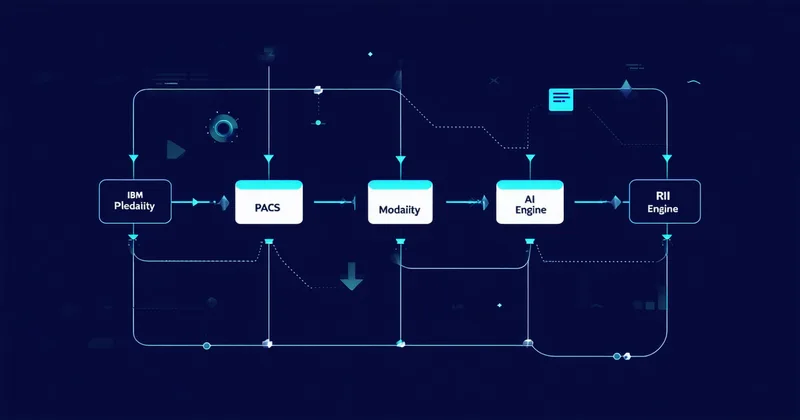
There are four distinct DICOM integration patterns for radiology AI deployment. Each has different IT complexity, different latency characteristics, and different compatibility requirements with specific PACS and RIS vendors. Understanding the pattern before signing a contract is how you avoid a six-month implementation that was supposed to be four weeks.
Pattern 1: DICOM C-STORE Push (Simplest)
The C-STORE push pattern is the most common approach for early-stage radiology AI vendors and the easiest to implement from an IT perspective. The hospital configures a routing rule in the PACS — typically via the PACS administration console in Sectra IDS7, GE Centricity, Philips IntelliSpace, or Fujifilm Synapse — that sends a copy of each newly acquired study to the AI system's DICOM Application Entity (AE) title via DICOM C-STORE. The AI system acts as a DICOM Storage Service Class User (SCU) listener on a known IP and port.
The IT configuration consists of: adding an AE title for the AI system to the PACS's known AE list, creating a routing rule (sometimes called an auto-forward rule) triggered on study arrival, and verifying TLS wrapping if transport encryption is required. In most PACS environments, this is a 2–4 hour configuration task for a competent radiology informaticist or PACS administrator.
The limitation of pure C-STORE push is that it is fire-and-forget from the PACS perspective. The PACS routes the study and doesn't track whether the AI system processed it, what score it produced, or whether the result was delivered back to the worklist. Error handling — dropped studies due to network interruption, AI processing failures — must be managed on the AI side, not the PACS side. For community hospital IT teams that won't be monitoring the AI pipeline closely, a reliable dead-letter queue and retry mechanism on the AI vendor's side is essential.
Pattern 2: Modality Worklist (MWL) Pull with DICOM C-FIND
The Modality Worklist (MWL) pattern is less commonly used for AI triage because it is primarily designed for scheduled procedure management — the mechanism by which a CT scanner queries the RIS to retrieve patient demographics and procedure information before the scan is performed. However, MWL-adjacent patterns using DICOM C-FIND (Query/Retrieve) are relevant when the AI system needs to identify and pull studies from the PACS rather than receive pushed copies.
In this pattern, the AI system acts as a Service Class User (SCU) for C-FIND, querying the PACS for recently completed studies based on Study Date, Study Time, or Modality fields in the DICOM query keys. The PACS acts as a Service Class Provider (SCP), returning matching studies. The AI system then issues C-MOVE or C-GET requests to retrieve the identified studies for processing.
This pattern is more complex to configure because it requires the AI system to have DICOM query access to the PACS, which some PACS administrators are reluctant to grant due to concerns about query load and security. It also introduces latency relative to the push pattern, because the AI system must poll for new studies rather than receiving immediate notification on study arrival. In high-volume environments, polling frequency becomes a configuration parameter that affects both latency and PACS load.
Pattern 3: DICOMweb (WADO-RS / QIDO-RS / STOW-RS)
DICOMweb is the RESTful successor to traditional DICOM network services, defined in the DICOM standard under the Web Services supplement (PS 3.18). QIDO-RS (Query based on ID for DICOM Objects) replaces C-FIND; WADO-RS (Web Access to DICOM Objects by RESTful Services) replaces C-MOVE/C-GET for retrieval; STOW-RS (Store Over the Web) replaces C-STORE for storage.
DICOMweb support is increasingly common in modern PACS platforms. Sectra IDS7 supports DICOMweb natively. Hyland Acuo VNA has comprehensive WADO-RS and STOW-RS implementation. Philips IntelliSpace PACS versions 4.4 and above expose DICOMweb endpoints. GE Centricity Universal Viewer has partial DICOMweb support depending on configuration and version.
For AI systems, DICOMweb offers advantages over traditional DICOM network services: REST-based APIs are easier to integrate with containerized microservices architectures, authentication via OAuth 2.0 and bearer tokens is more compatible with modern security practices than DICOM association-level security, and STOW-RS for writing results back to PACS is more straightforward than configuring a C-STORE SCP on the AI side to receive PACS-initiated result storage.
The limitation for community hospitals is that DICOMweb support requires the PACS to have it enabled and configured — which may require a PACS vendor support engagement if the feature wasn't activated at initial deployment. Older PACS installations may not support it at all.
Pattern 4: DICOM Structured Report (SR) Write-Back
Regardless of which pattern is used for study ingestion, the question of how AI results return to the radiologist's workflow is a separate integration problem. DICOM Structured Report (SR) write-back is the standard mechanism for storing AI-generated findings alongside the original study in PACS.
A DICOM SR document conforming to TID-1500 (Measurement Report) or a vendor-defined SR template stores the AI triage score, finding flags, and relevant measurements as structured data in a DICOM object. This SR object is stored in the same PACS series as the original study, meaning the radiologist opening the study in their viewer can access the AI result directly from within the PACS — no separate application to launch, no separate login. The SR is linked to the original study via the Referenced Study Sequence and Instance UIDs in the DICOM header.
The practical challenge with SR write-back is viewer support. Not all PACS viewers render DICOM SR objects in a way that is clinically useful — some display them as raw structured data that is unreadable without a dedicated SR viewer. Sectra IDS7 has good SR rendering support. Fujifilm Synapse and Philips IntelliSpace PACS also support SR display with varying levels of rendering quality. GE Centricity's SR rendering depends on the version.
Pacslens uses DICOM SR write-back as one of two result delivery paths. The SR stores the finding flag and triage score for the PACS record. The second path is HL7 FHIR ImagingStudy resource update or HL7 v2 ORM extension to the RIS, which is the mechanism that drives the actual worklist re-ranking. Both paths run in parallel, ensuring that the AI result is available in both the PACS study context and the radiologist's worklist interface.
Choosing the Right Pattern for Your Environment
For community hospitals evaluating radiology AI vendors, the practical questions to ask about integration are: Which DICOM services does the vendor's system act as SCU vs. SCP? What does the hospital IT team need to configure, and what does the vendor handle? How are processing failures surfaced and retried? What is the expected latency from study acquisition to worklist priority update?
The C-STORE push pattern with SR write-back is the lowest-complexity path for most community hospital PACS environments. DICOMweb is the preferred pattern for modern PACS with REST API support and containerized AI deployment. The MWL pull pattern is appropriate for environments where the AI system needs query access to historical study volumes for initialization but is not a strong fit for real-time triage latency requirements.
Integration complexity is not a reason to avoid radiology AI — it is a factor to scope accurately before committing to a vendor. A system that requires four weeks for DICOM routing configuration and two months for HL7 FHIR RIS integration is not a bad system; it just needs to be planned for honestly, with IT resources allocated and PACS vendor support engaged from day one of the implementation project.
Building a technical evaluation of radiology AI integration for your IT team? Contact our integration team with your PACS vendor and version, and we'll provide a specific integration assessment for your environment.